


Pic-Time vs Pixieset: Why I Chose Pic-Time (2026 Review)

This post may contain affiliate links which means I may receive a commission for purchases made through links.
I only recommend products that I have personally used long term. Learn more on my Privacy Policy page.
Trying to figure out what photo delivery software is right for you? What a hot topic for photographers in 2026. I’ve used both Pixieset and Pic-Time over the years, and spoiler alert: I switched to Pic-Time in 2018, and I’m still using it today.
That doesn’t mean I think everyone needs to use Pic-Time, though.
My quick answer: If you want your galleries, website, contracts, and invoices all in one place, I’d look at Pixieset. If you’re okay using separate platforms and want a really good gallery experience, more print and product options, and better sales automations, I’d go with Pic-Time.
For me, the biggest difference is really the print labs paired with the automations. Pic-Time gives me a much bigger selection of labs and products to choose from, including some of the higher-end labs I prefer for my clients. My clients can order prints from their galleries whenever they want, but I can also set up automations that help encourage those sales. Best of both worlds.
My experience with Pixieset and Pic-Time
Picture this. It’s 2010, and you’re printing a custom CD label for your client’s photos.
That’s actually how I started delivering galleries. Then came USB drives, and eventually online galleries. Thank god.
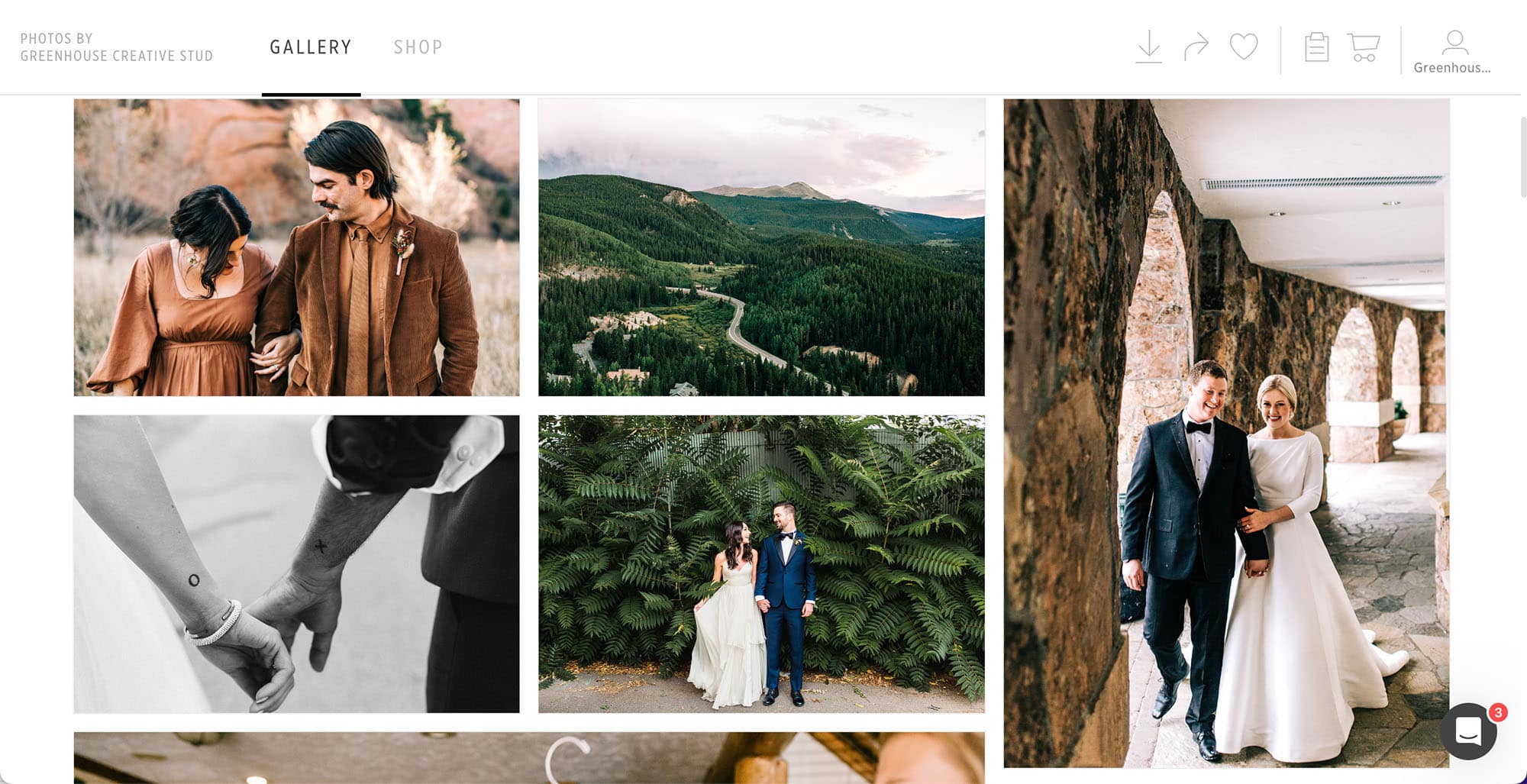
Pixieset was the first online gallery platform I used, and I was really happy with it. It did what I needed it to do when it came to delivering photos to my clients, and I really didn’t have any complaints.
Then Pic-Time came along and made me realize there were a few things I didn’t know I was missing.
As my business grew, I started feeling limited by the labs and products I could offer through Pixieset. Pic-Time had a much bigger selection, including some of the higher-end labs I actually wanted to use, like Musea and RedTree, and I liked the overall shop experience better. Then add in the sales automations, and I was sold. I switched to Pic-Time in 2018, and I’m still using it today.
Pixieset has changed a lot since then. They’ve added websites, contracts, invoices, and a bunch of other business tools that weren’t really part of the equation when I switched. Personally, I still prefer using separate platforms, like Showit for my website and Dubsado for my CRM, but I can definitely see why having everything in one place is appealing when you’re just starting out.
Pic-Time vs Pixieset: The Biggest Differences
| Pic-Time | Pixieset | |
|---|---|---|
| Best for | Photographers who want a more advanced gallery, more print and product options, and more opportunities to increase print sales | Photographers who want their galleries, website, contracts, and invoices all in one place |
| Client galleries | Excellent | Excellent |
| Print labs + products |
Larger selection, including more boutique and higher-end lab options. See Pic-Time’s print labs → |
Smaller selection of professional lab partners. See Pixieset’s print labs → |
| Automatic print fulfillment | Yes | Yes |
| Sales automations | One of its biggest strengths | Available, but not the main reason I’d choose Pixieset |
| Website builder | No full photography website platform | Yes |
| Contracts + invoices | You’ll need a separate CRM | Yes, through Studio Manager |
| Best all-in-one option | No, you’ll need separate platforms for your website and CRM | ✓ Yes, this is one of Pixieset’s biggest strengths |
| My choice | ✓ Pic-Time since 2018 | Used previously |
Think about your photography workflow
Before choosing between Pic-Time and Pixieset, I think it’s worth looking at what you actually need from the software and how you want the rest of your business to work.
I use Dubsado for my CRM, Pic-Time for my gallery delivery, and Showit for my website. I’ve used this combination for years, and it works really well for me. I don’t mind having separate platforms if it means I get more of the features and customization I want from each one.
That’s also why some of Pixieset’s all-in-one features aren’t a huge selling point for me personally. I don’t need my gallery software to also run my website, contracts, and invoices. But if you’re just starting your photography business and the thought of setting up three different platforms makes your head hurt, I completely understand the appeal of having everything in one place.
I think that’s really what this decision comes down to. Do you want one platform that can handle a little bit of everything, or would you rather use separate tools and have more control over each part of your business?

Pic-Time Review ⭐️⭐️⭐️⭐️⭐️
After using Pic-Time since 2018, I’d still give it 5 stars. It’s not perfect, but the print lab options, store, and sales automations are still the biggest reasons I’ve stayed with it.
Pros
- More print labs and product options, including higher-end labs like Musea and RedTree
- Better overall store experience
- Sales automations that can lead to more passive print sales
- Built-in album design for you or your clients
- Support for both photographers and clients
Cons
- More of a learning curve, especially when setting up your store and automations
- Not an all-in-one platform for your website, contracts, and invoices
- Not every product or option from every partner lab is available through Pic-Time
Pixieset Review ⭐️⭐️⭐️⭐️
I’d give Pixieset 4 out of 5 stars. I think it’s a really solid platform, especially if you want to keep more of your photography business in one place. For me, the smaller print lab selection and fewer customization options are what keep it from being my first choice.
Pros
- Very user-friendly and easy to get started with
- Website and Studio Manager with contracts, invoices, and other business tools
- Clients can create multiple favorite lists, which is really helpful for proofing and organizing their favorite photos
- Beautiful, easy-to-use client galleries
- A good option if you want more of your photography business in one place
Cons
- Smaller selection of print labs and products
- Fewer of the boutique and higher-end lab options I personally prefer
- More limitations on customization
- The all-in-one features may not matter as much if you already use separate platforms for your website and CRM
At the end of the day, both Pic-Time and Pixieset do the basics really well. You can create beautiful client galleries, sell prints directly through them, integrate with Lightroom, and choose from different storage and plan options. I don’t think you’ll go wrong with either one. The bigger difference is what you want beyond the basic gallery delivery, and that’s where I think the two start to separate.
Which is better for new photographers: Pic-Time or Pixieset?
Being a new photographer doesn’t necessarily mean you need an all-in-one platform.
If you’re planning to build your photography business long term, I personally prefer using separate platforms that are really good at what they do. For me, that’s Pic-Time for galleries, Dubsado for my CRM, and Showit for my website. WordPress is another great website option.
That setup takes a little more work in the beginning, but it also gives you more flexibility as your business grows.
That said, I can absolutely see the appeal of Pixieset when you’re just starting out. If the thought of setting up and learning several different platforms sounds like a lot, Pixieset lets you keep your galleries, website, contracts, and invoices in one place.
The Pixieset website does have some limitations when it comes to customization, and I’ve seen plenty of photographers eventually move to a more robust website platform as their businesses grow. I’ve also seen photographers stay with Pixieset and love having everything together.
So I wouldn’t choose based on whether you’re a beginner. I’d choose based on how you want to build your business. If you want everything in one place, Pixieset makes a lot of sense. If you don’t mind using separate platforms and want more flexibility long term, I’d lean toward Pic-Time with a separate CRM and website platform.
Why I prefer Pic-Time for my photography business
As my photography business grew, I started caring a lot more about the full experience for my clients and what happened after I delivered the gallery.
My clients can technically download their photos and print them anywhere, but I wanted to make it really easy for them to order high-quality prints and products directly through their gallery. That’s where Pic-Time became a much better fit for me.
I have more labs and products to choose from, more control over the store experience, and automations that can continue marketing those products after I deliver the gallery. After using Pic-Time since 2018, I really can’t see myself switching back.
Moving my galleries from Pixieset to Pic-Time
One of my biggest concerns when switching to Pic-Time was what I was going to do with all of my old galleries. At that point, I had hundreds of galleries in Pixieset, and the thought of manually moving everything over sounded awful.
Thankfully, Pic-Time offers a gallery migration service that can transfer your galleries from Pixieset to Pic-Time for you. This was a game-changer for me and honestly made the decision to switch so much easier.
The process was pretty easy, although I did have to go back through some of my galleries and make a few adjustments afterward. Still, there was no way I was manually uploading hundreds of galleries again. 😂
If you’re thinking about switching, I’d check out Pic-Time’s current gallery migration options before you start moving anything yourself.
Setting up your Pic-Time store
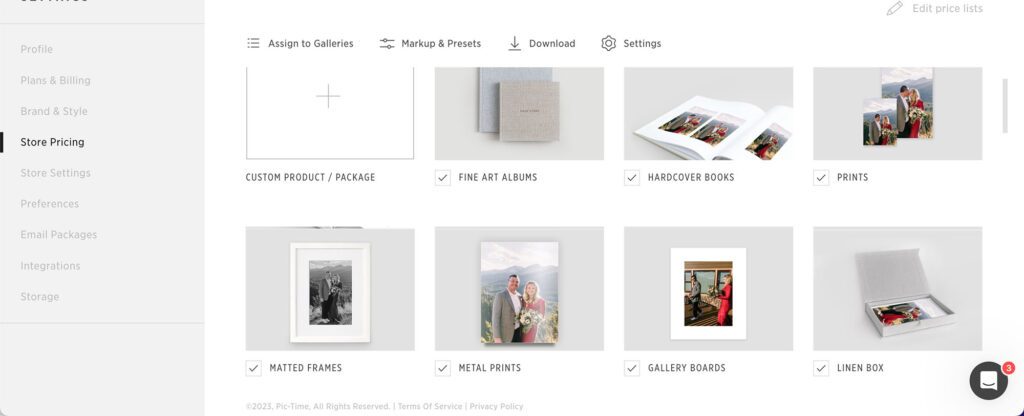
I’m not going to lie, setting up my Pic-Time store was probably the hardest part of switching. There are a lot of options once you start getting into products, pricing, labs, shipping, and automations.
I ended up hiring someone to help me set everything up, which made the process so much easier. It also helped me understand just how much I could actually do within Pic-Time. Once everything was set up, though, I really didn’t have to think about it much anymore.
If you’re feeling overwhelmed when you first get started, don’t feel like you need to set up every product and automation at once. Start with the things you actually want to sell, get your store working the way you want it to, and build from there.
And if you’d rather pay someone to set it all up for you, that’s exactly what I did.
I highly recommend joining each Facebook group to ask any questions you may have or find someone who can set up yours!
My favorite Pic-Time features after 8 years
After eight years of using Pic-Time, there are definitely features I use more than others. These are the ones that have actually become part of my regular workflow:
Lightroom Plugin: I use this constantly. Being able to upload directly from Lightroom makes gallery delivery so much faster, especially when I’m working with hundreds of images at a time.
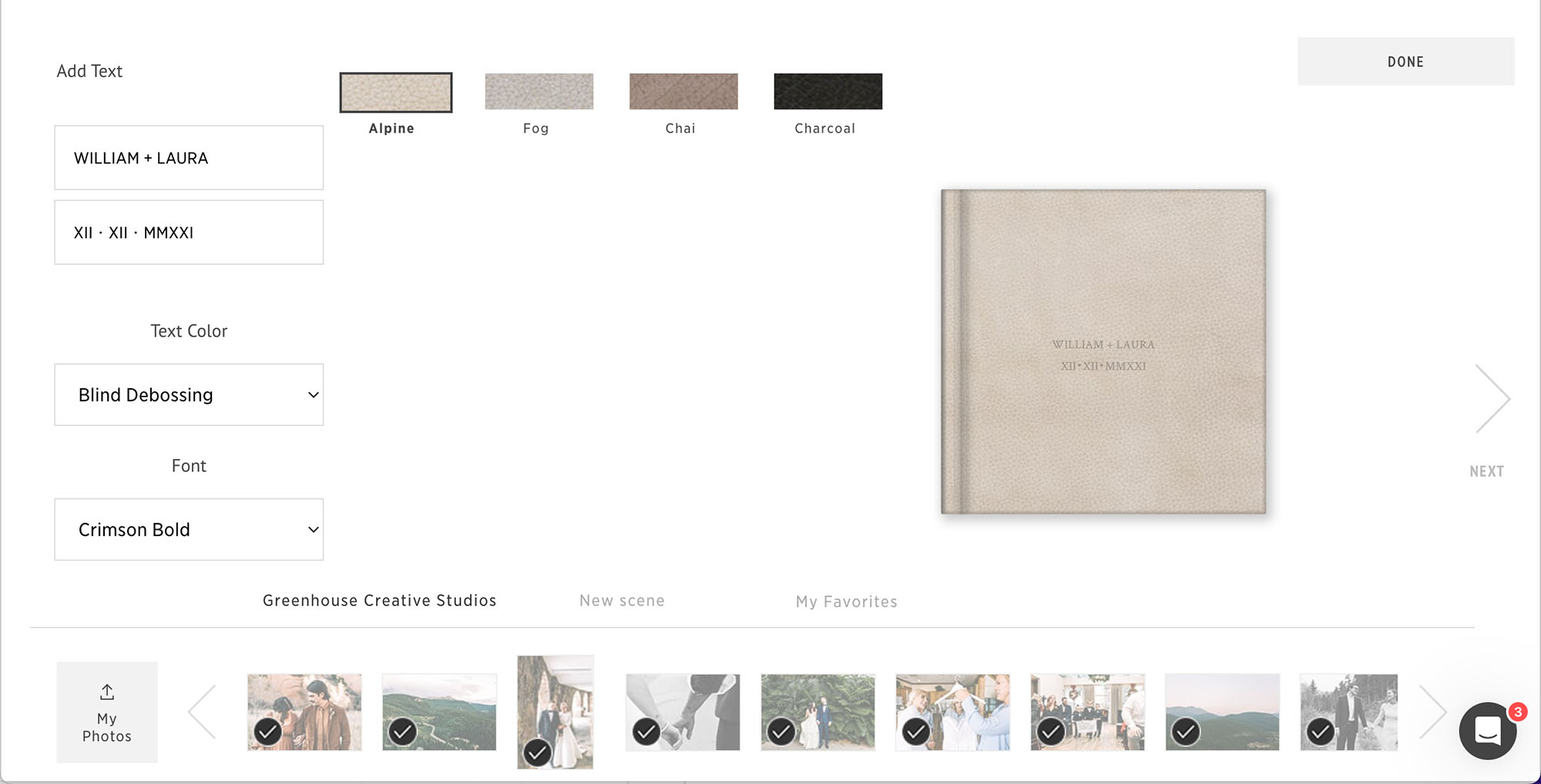
Album Design: Still one of my favorite features. I can design an album for my clients, or they can create one themselves directly through their gallery. It makes offering albums so much easier without adding another program to my workflow.
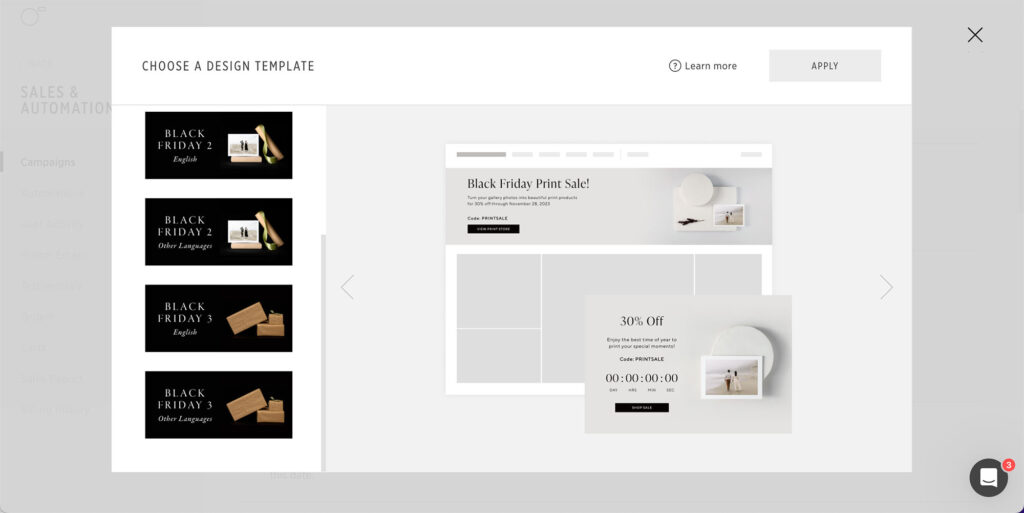
Sales Automations: Probably one of the biggest reasons I’ve stayed with Pic-Time. I can create campaigns that encourage clients to order prints, albums, extra digitals, and other products without having to personally follow up with every client. Once they’re set up, they can keep working in the background, which is where the passive income part comes in.
Vendor Galleries: I love this as a wedding photographer. I’m constantly sharing galleries with planners, venues, florists, and other vendors, and Pic-Time lets me save vendors I’ve worked with before so it’s much easier to share future galleries with them. It’s one of those smaller features that ended up being way more useful than I expected.
Final Thoughts: Pic-Time vs Pixieset
After using both, Pic-Time is still my choice and the platform I’ve stuck with since 2018. I prefer the print lab and product options, the store experience, and especially the sales automations. For the way I run my photography business, it’s the better fit.
That doesn’t mean I think everyone should choose Pic-Time, though. If having your galleries, website, contracts, and invoices all in one place is important to you, I think Pixieset is a really solid option. It’s user-friendly, the galleries are beautiful, and there’s a lot to be said for not having to piece together several different platforms.
For me, I’m happy using Pic-Time for galleries, Dubsado for my CRM, and Showit for my website. It’s a little more to set up, but I like having more control over each part of my business, and it’s a setup that’s worked really well for me long term.
If you’re still torn, I’d think less about which one is “better” and more about how you actually want to run your photography business. Both are good platforms. They just make sense for different priorities.
Try Pic-Time or Pixieset
Ready to try one for yourself? Here are my referral links for both platforms!
Pixieset
Great for photographers who want galleries, websites, contracts, and invoices in one place.
Try Pixieset

Hi! I'm Kelsey!
I'm a photographer and small business owner who moved back home to coastal North Carolina after 13 years in the Colorado mountains.
Over the years, I've photographed hundreds of weddings, explored countless mountain towns, and discovered some pretty incredible places along the way.
I love sharing my favorite travel recommendations, photography tips, and what I've learned from running my own creative business.





@greenhousecreativestudios


We may use cookies to better your experience. Scrolling this website confirms that you have read and agreed to our privacy policy and terms of use
©2026 Greenhouse Creative Studios
close x